Canada
Joined: Nov 16, 2023
Post Count: 8
Status:
Offline
Converter for fbx,USDZ, glTF, GLB and others
https://sketchfab.com/feed sketchfab has tons of free 3d files but do not always have DEA or OBJ formats
wouldn't it be nice to download these files and have the zip files seamlessly integrated into sweet home. When converting online the textures don't integrate properly most of times
Netherlands
Joined: Apr 8, 2022
Post Count: 1818
Status:
Offline
Re: Converter for fbx,USDZ, glTF, GLB and others
FBX is easy to convert with Blender, just import and export as OBJ. For almost any other conversion there are online converters. Not all work the same so for each conversion you will have to find the one that works best. That textures don't always integrate is usualy a problem with the model and not necessarily of the converter. One of the most common problems is that some faces have flipped normals (the texture points to the wrong side of the face). Easy to fix with Blender but it might take some work if there are a lot of them. You can also use Blender to fix other texture problems. Just make sure each part has its own materialname and after import in Sweet Home 3D you can set the textures (if they all came with the download). Generally, what you can convert with Blender or other Graphics program works better than online converters but you have to take what is available.
Where you can download FBX or 3DS besides OBJ/MTL I alway advise to also download these formats. Often the quality of the model is better when converting the FBX through Blender, or the 3DS import is better than the OBJ/MTL import.
glTF/GLB formats often contain a complete scene with multiple models integrated. Not very usefull to convert since the result is not separate models but a single, large model. You would have to split them with a program like Blender.
---------------------------------------- Dodecagon.nl 1300+ 3D models, manuals, and projects
United states
Joined: Sep 3, 2026
Post Count: 1
Status:
Offline
Re: Converter for fbx,USDZ, glTF, GLB and others
Old thread but this exact situation still comes up constantly with Sketchfab downloads, so adding what works for me now. For the GLB or FBX to OBJ step without installing anything, furnimesh.com/convert/glb-to-obj does it in the browser and the scale comes through correctly. Then zip the OBJ together with its MTL and textures and import the zip through Furniture, Import furniture. The zip step is required on the Mac App Store version anyway.
Keet's point about flipped normals still applies. That is a problem inside the model itself, no converter fixes it, so if a texture faces the wrong way after import you still need Blender for that repair.
Russia
Joined: Aug 13, 2022
Post Count: 738
Status:
Offline
Re: Converter for fbx,USDZ, glTF, GLB and others
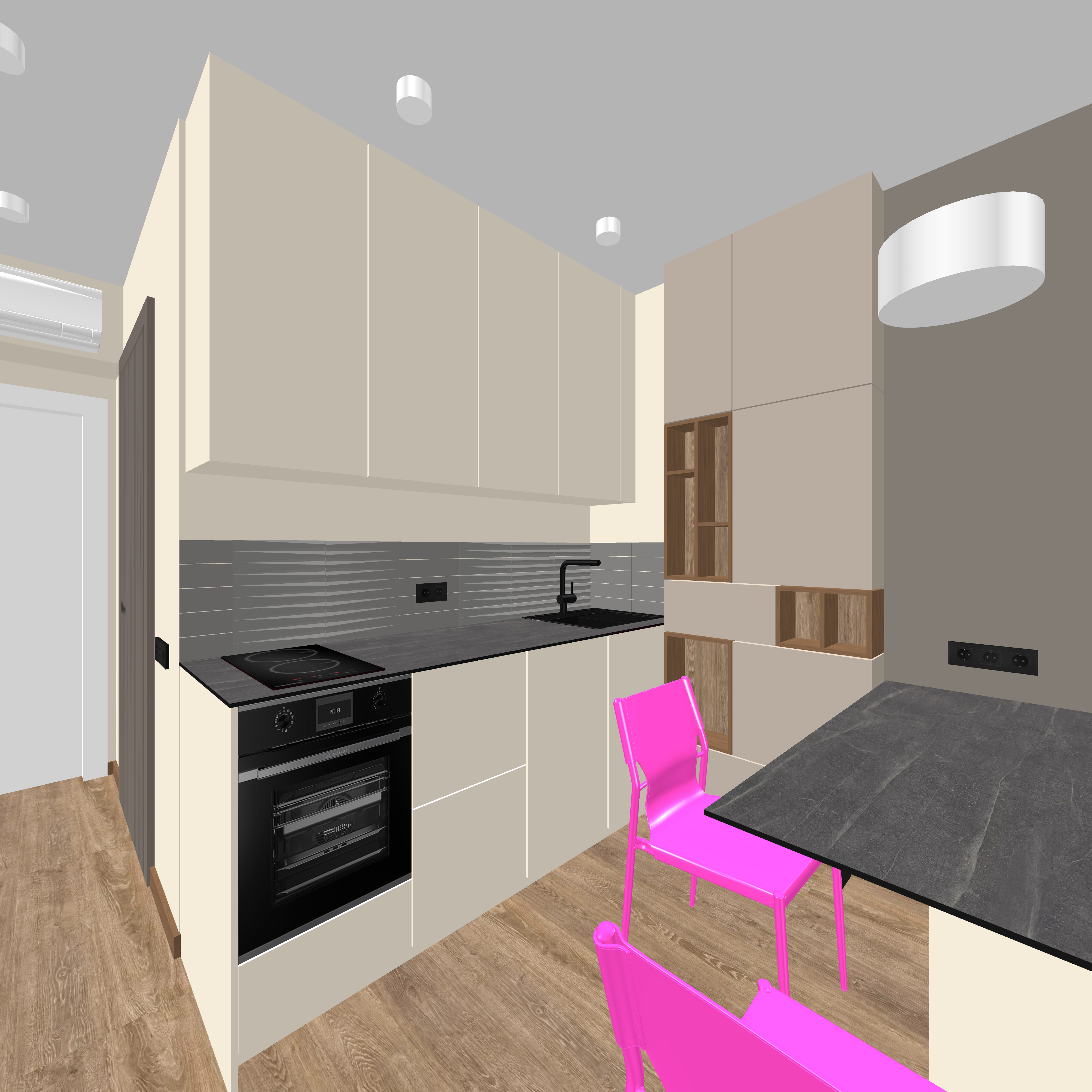
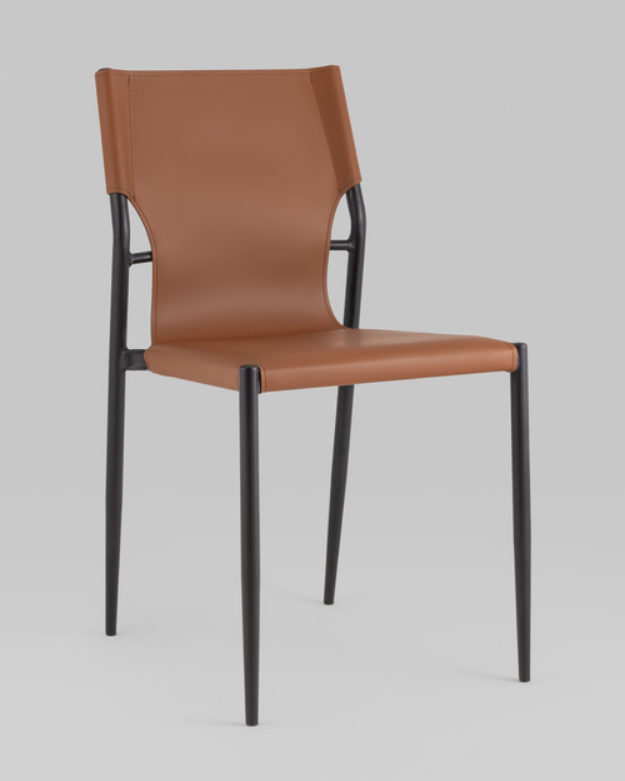
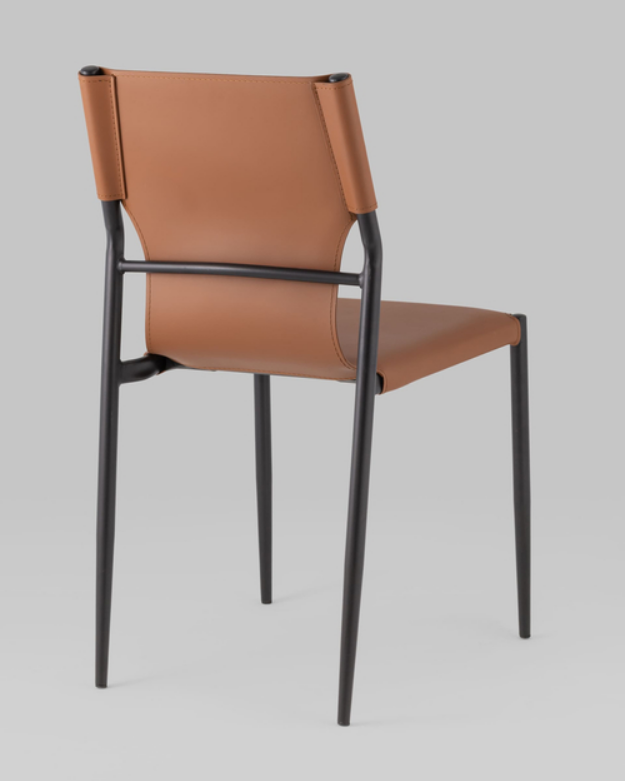
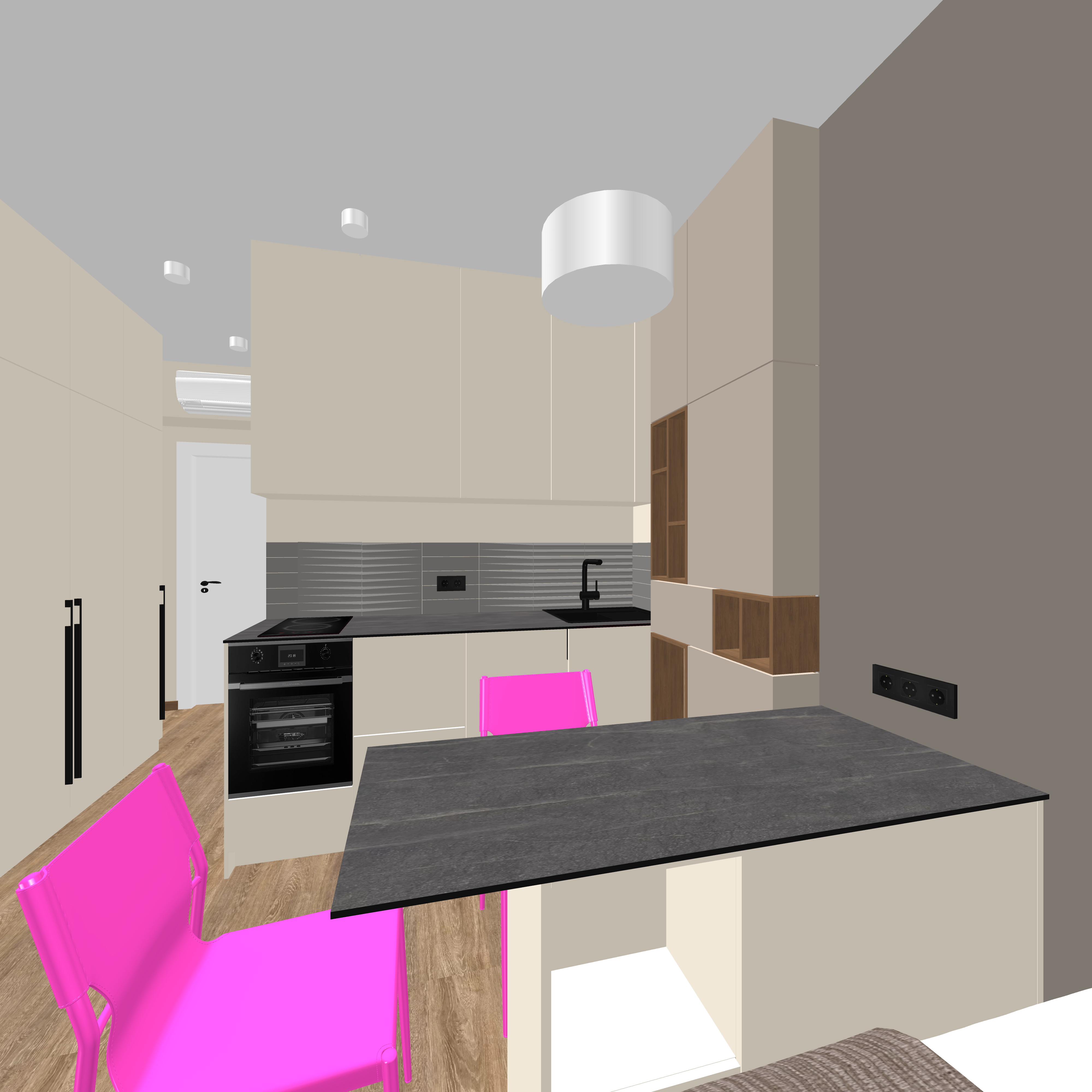
There’s another, unconventional method, but it’s very effective. I’ve been using only this method in my work for about a year now. Time doesn’t stand still. Sellers are trying to sell their products under new conditions. On websites, I’m increasingly seeing products presented from all sides. It’s normal to have several photos from different angles — for example, you can see a chair that looks exactly like the one you can buy; there are high‑quality photos showing the product in the required color and material. 3–4 photos from all sides. Sometimes there’s even a 3D model that, of course, is read in SH3D as a chair in a single color without any texture separation. I’ve learned how to use all of this in my projects. Now it’s not a problem for me. I’ll tell you in detail what needs to be done to insert any object into a project and get a high‑quality image with a real object in the desired color and material. Of course, first you need to create a room model in SH3D. Create all the rectangular parts from boxes — this will represent all the furniture. If you couldn’t find a high‑quality model with different textures for the parts, you can place monochrome models in the interior. There’s no need to try to convert it to OBJ if SH3D reads such a model as monochrome without dividing it into parts. You need to find photos of this item in the required colour and with the required materials. That’s enough. Take a look — this is a SH3D room where the chairs are pink because the 3D model is monochrome. Everything is fine. This can be turned into a high‑quality final product in your project.
To turn monochrome pink chairs into colorful real chairs in the visualization, we need photos from the seller’s website taken from different angles. I already see such product photos all the time on websites. There’s even an option to view the product in an online configurator, where you can select the fabric for the seat upholstery and the wood color for the legs. This isn’t a 3D model; it’s a product image! And the 3D model itself doesn’t allow you to do any of this — that’s the interesting thing. But it’s not necessary!!
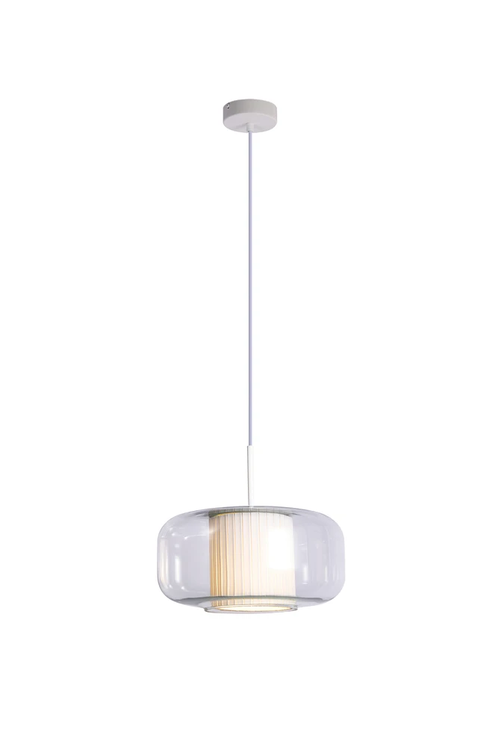
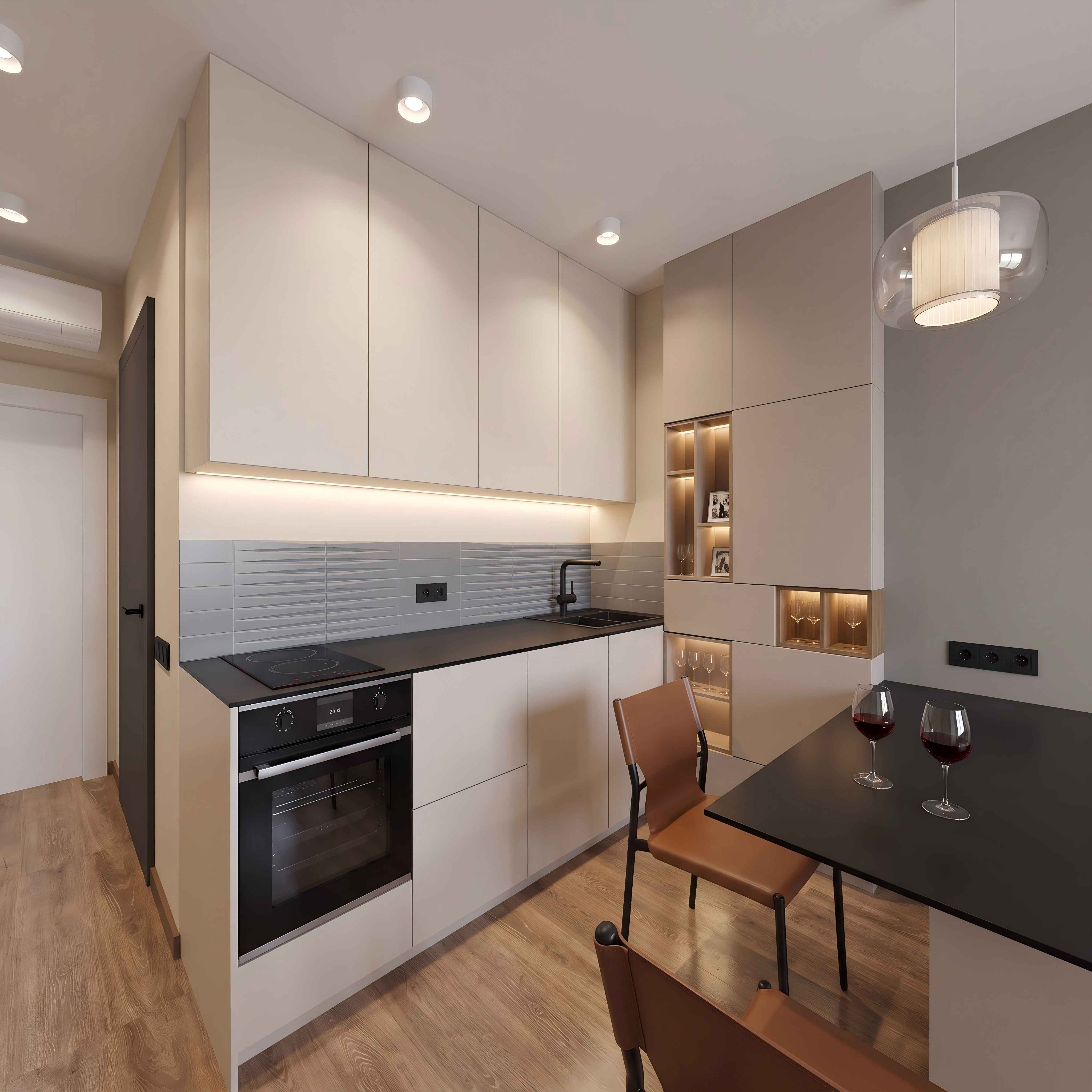
If you couldn’t find a high‑quality 3D model, that’s not a problem either. You can use primitives (boxes, cylinders, spheres) with the required dimensions that will represent your real objects. But the necessary condition for success is having high‑quality photos of these real objects. For example, I couldn’t find a 3D model of a chandelier above a table, but I found photos of that chandelier and its overall dimensions. I placed some primitives representing that chandelier above the table. The first picture clearly shows two cylinders representing the chandelier. And here’s the photo.
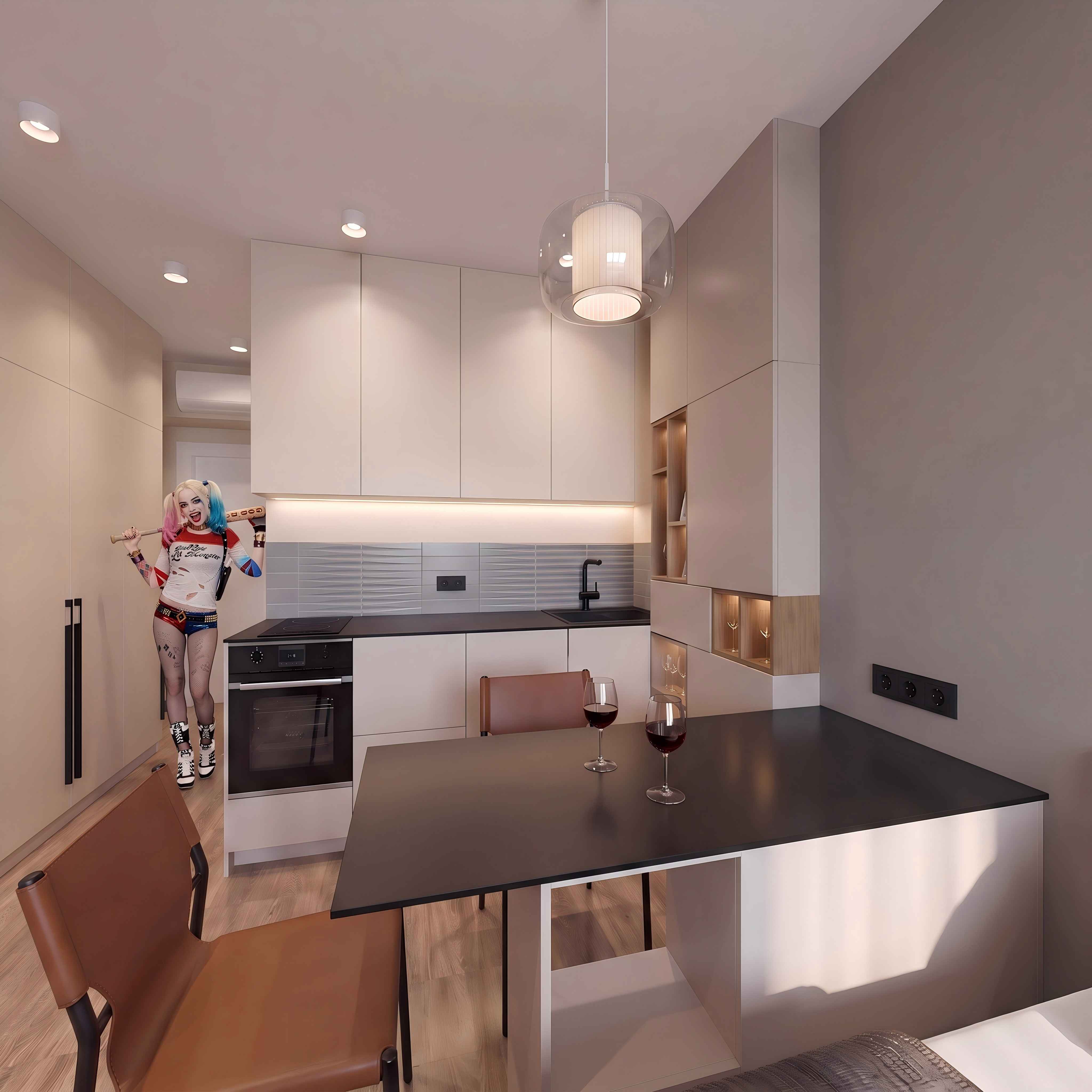
Now that there is a 3D model of the room with problematic 3D models of the chairs and a lack of a 3D model for the chandelier, all this information can be uploaded to the AI. So far, models such as Nana Banana in all versions perform best at such tasks. It is necessary to provide a detailed description of the lighting conditions and specify where color image replacements are needed based on sample photos (in the picture, I changed the pink chairs and white cylinders). As a result, you can get a high‑quality, realistic image with your real objects, without using complex 3D models of the items.
I’d like to say once again that you don’t have to try to find this rare high‑quality 3D model and don’t have to try to split it in Blender or do anything else if the model isn’t readable in SH3D. You can get the result using other methods, still using SH3D as the basis.